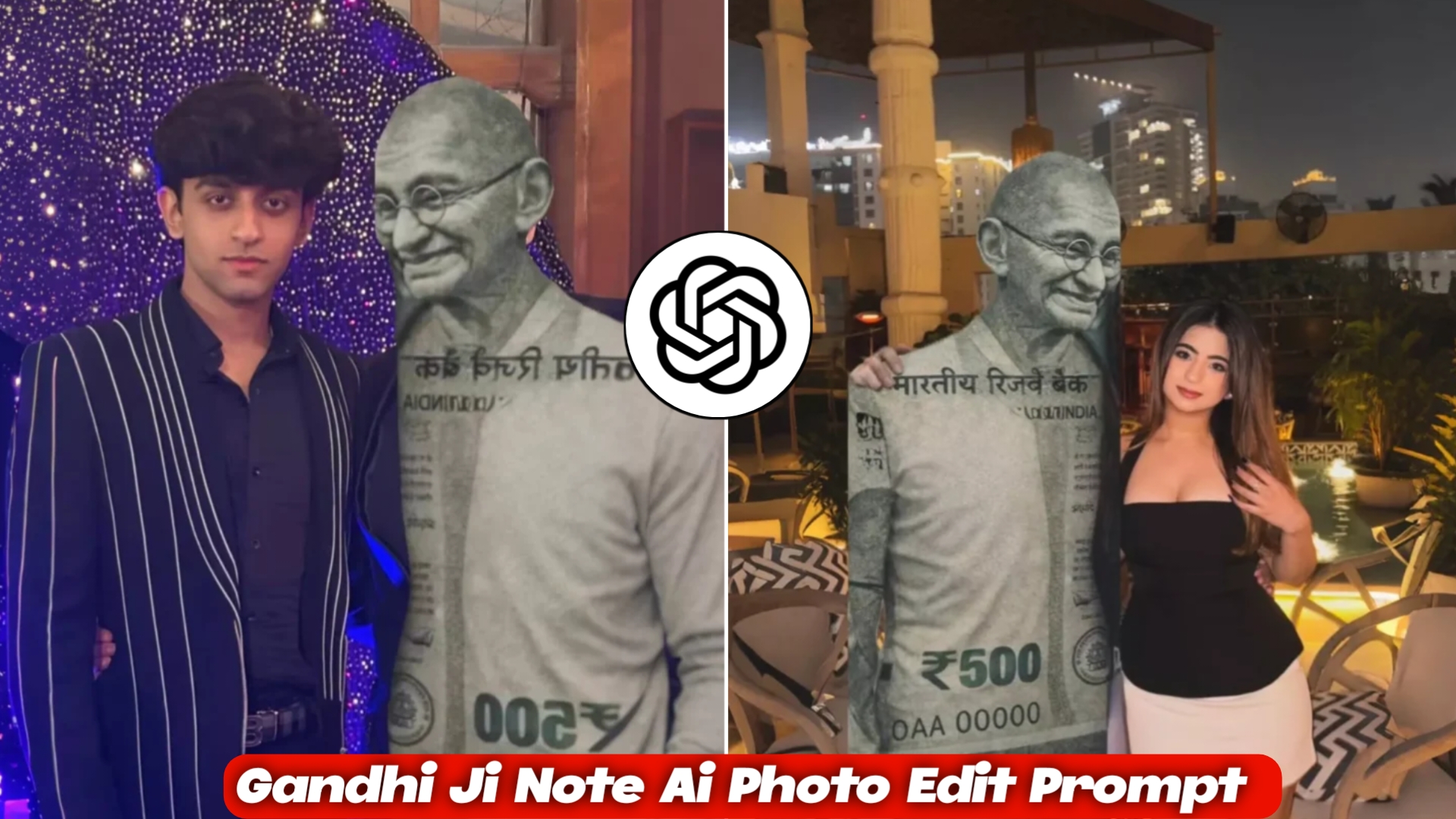
You must have seen such photos on social media, which are going viral very fast recently. This kind of photo in which a boy or a girl is standing and there is a photo of Gandhiji with a note in it and a beautiful song is playing and the video is going on. Both such photos and videos are viral. So, in today’s article, I will tell you how to make such videos. In this article, you will be told the complete process of making such photos and videos, that too step by step, how you will create the image, how you will make the video, everything and whatever I will tell you, it will be a completely free tool using which you can make such videos within just 5 minutes. You can make such photos and videos and post them, so that you can also take advantage of this ongoing trend.
Detailed Breakdown of Gandhi Ji Note AI Editing
Gandhi Ji Note Aai Photo Edit You must be knowing that this currency is an Indian currency and people are creating it by using just a prompt in which there is a photo of a boy or a girl and the prompt So you can make a photo with your pic and currency And you can also make it into a video and put it as a reel, those reels are going viral, amazing. And your image will be created promptly in just one click. If you don’t know how to create it, I will tell you that too step by step.
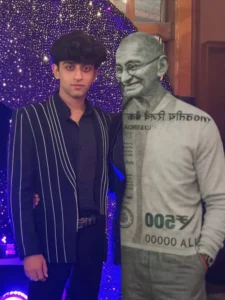
On the right side create a full human-like figure of Mahatma Gandhi made entirely from the texture and design of an Indian ₹500 currency note, with visible currency patterns, numbers and banknote details forming his body like a statue made from a ₹500 note.
Mahatma Gandhi should be standing beside the boy and gently placing his right hand on the boy’s shoulder in a friendly supportive pose.
Keep the exact composition: boy standing confidently while Gandhi stands next to him with his hand resting on the boy’s shoulder.
Background should be a glowing purple LED light curtain with sparkling bokeh lights.
Ultra realistic, DSLR portrait, cinematic lighting, sharp focus, 8K detail.
Only replace the boy with the reference image while keeping the Gandhi ₹500 currency figure, hand on shoulder pose, and background unchanged.
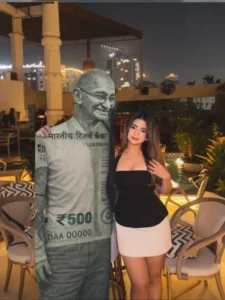
On the left side, create a full human-like figure of Mahatma Gandhi made entirely from the texture and design of an Indian ₹500 currency note, with visible currency patterns, numbers, and details forming the body like a statue made of a ₹500 banknote.
On the right side place the female subject from the reference image standing confidently beside the Gandhi currency figure.
Background should be a luxury rooftop night setting with warm ambient lights, pool reflections, and city buildings glowing in the distance.
Ultra realistic, DSLR photography style, sharp focus, cinematic lighting, high detail, 8K quality.
Only replace the girl with the reference image while keeping the Gandhi ₹500 currency figure and environment intact.
How to Create Gandhi Ji Note AI Photo Editing with ChatGPT
So if you also want to create a Gandhi Ji Note AI Editing photo of yourself, then I will explain a simple process to make this type of image. If you follow these steps properly, you will be able to create a Gandhi Ji note style photo very easily. First of all, you will see a “Create Image” button above. You have to click on the Create Image button and then sign up there using your Google account or any other available option. You can create this image either from the ChatGPT app or from its official website.After signing up with your Google account, you need to click on the plus (+) icon and upload your photo. Then copy the Gandhi Ji Note AI Editing prompt given on my website. You can choose any prompt you like and copy it completely. Now paste the prompt there and send it. Within a few seconds, your Gandhi Ji Note AI style image will be generated and ready. After that, you can download the image immediately. If the image is not generated properly, you can repeat the same process again and create another Gandhi Ji Note AI photo easily.
Final Words
So friends, this was the complete method to create a Gandhi Ji Note AI Editing photo using ChatGPT. By following the steps and using the right prompt, you can easily generate a unique and creative image in just a few seconds. Try different prompts and make your Gandhi Ji note style photo look even more realistic.