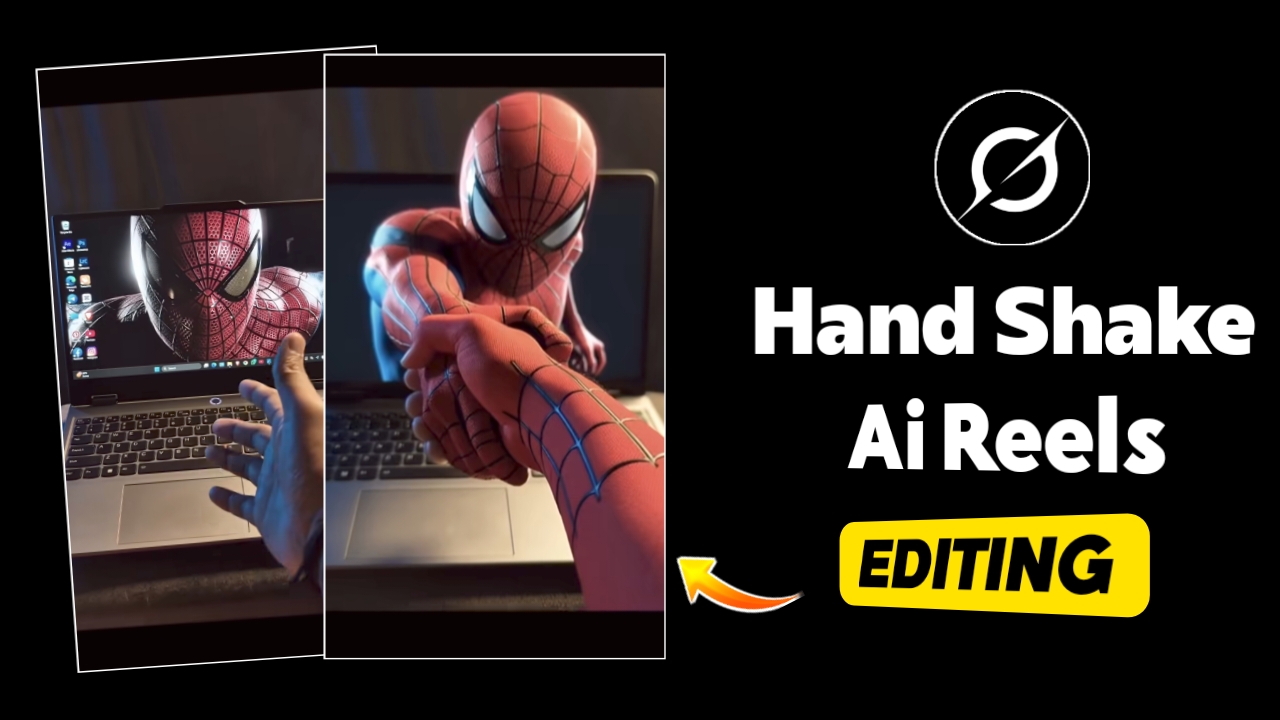
Currently, video edits featuring a “handshake with the screen” effect are going viral rapidly across social media platforms. People are creating these videos using their laptops or desktop PCs; the concept involves extending one’s hand to shake hands with the wallpaper displayed on the screen. Users are setting various wallpapers—ranging from Spider-Man and deities to virtually anything else they find appealing—and filming themselves engaging in this handshake interaction. These videos are garnering millions of views and hundreds of thousands of likes. If you, too, wish to create such videos, you absolutely can! The process is completely free, involves just a few simple steps, and allows you to produce a video in a matter of minutes. In this article, I will guide you step-by-step through the entire creation process—explaining how to produce the video, what specific prompts you will need, and where to access all the necessary resources. By following these instructions, you will be able to create your own “handshake” videos with absolute ease. Since this trend is currently sweeping across social media, be sure to create yours right away!
Create Viral Laptop Screen Handshake AI Video Editing (Easy Method)
As I mentioned earlier, you can create videos where you appear to shake hands with a laptop or PC in a very simple manner. All you need to do is use whatever device you have—be it a PC or a laptop—to record a video, ensuring that your camera remains stable throughout the process. Next, set the wallpaper on your laptop to whatever image you desire—depending on the specific theme or style you wish to create. For instance, if you want to use an image of Lord Hanuman, you can do so; alternatively, you can choose Spider-Man, any celebrity, or any deity you prefer. You can then proceed to simulate shaking hands with them. To achieve this effect, you must record the video perfectly: keep your camera steady, and simply extend your hand toward the laptop screen. Just record a short clip—approximately three to four seconds in length—and you’re all set.

How To Make This PC Laptop Screen Handshake AI Video ?
Let me share a simple method for creating those videos where it looks like you are shaking hands with a wallpaper on a PC or laptop. Just make sure to read this entire article carefully. First, you need to copy the necessary elements. After copying, tap on the “Create Your Video” button. As I mentioned earlier, you then need to film your video footage. Once filmed, import this video into any editing app—such as VN, InShot, or CapCut. Within the app, take a screenshot of the very last frame of your video. Next, go to Grok AI, select the “Animate Photo” option, and upload that screenshot. Paste your prompt into the designated field and hit send. Your animated video will be generated and ready for download right there; you can simply save it from that page. Finally, return to your editing app, add the video clip you just downloaded, and carefully adjust and edit both video clips together. To complete the effect, add a background song—preferably a trending track; you can use the specific song mentioned here.
Final Thoughts
So friends, by following this simple method you can easily create a Trending PC Laptop Screen Handshake AI Video. Just follow all the steps carefully and your viral AI video will be ready in a few minutes.