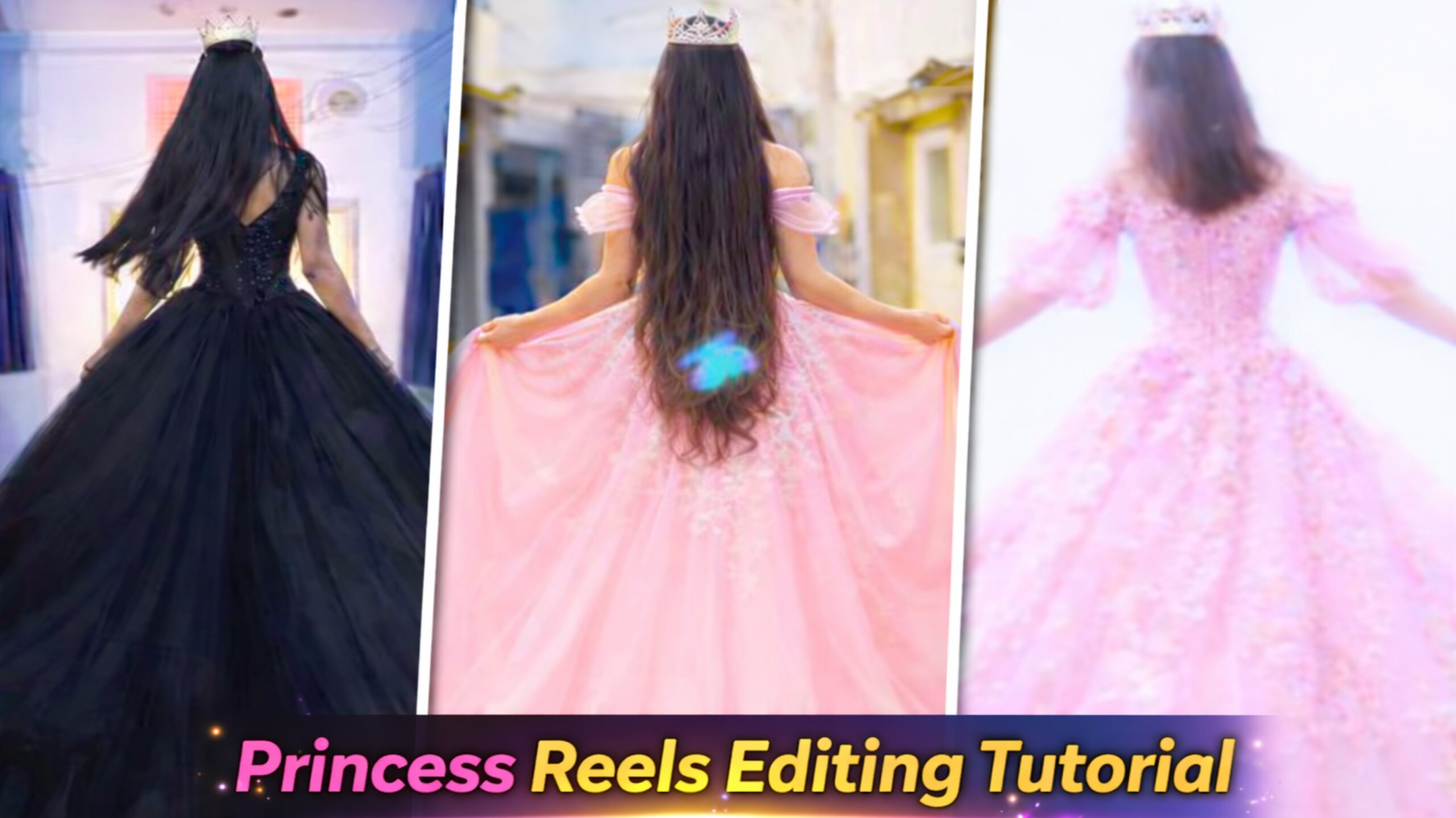
You must have seen this type of viral angle video edit on social media which is trending a lot, girls are making and uploading such reels and their reels are getting millions of views. So you guys also want to make such a reel and you do not know how to make it, then in today’s article I am going to give you the method and template to make it, through which you guys can make such a reel.Will be able to make reels So you guys can make such reels in a very easy way and right now it is trending a lot, so the sooner you make it and upload it, the more viral it will become, so in time you too can become such an angel.
Full Editing Brekdwon Of Viral Princess Reels Editing
So, I am going to provide you with a complete breakdown of the editing process, enabling you to create these viral, trending “Princess Girl” style videos yourself. You have likely noticed on social media that these Reels are going incredibly viral—so much so that they are appearing in your feed three or four times in a row! However, you may not know the correct method to create them. To help you out, I am going to share a very simple, comprehensive tutorial that you can follow to generate such videos with just a single click. I will also walk you through the actual editing workflow. You can use any video editing application—such as VN, InShot, or CapCut—to edit this video. So, let’s get started; I will explain everything to you step-by-step below.
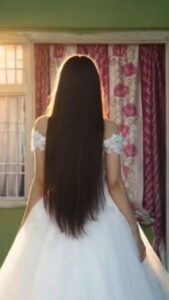
Keep the exact same pose and the same location (standing near the doorway looking outside).
Replace the outfit with a long elegant royal princess gown or lehenga with a flowing trail.
The dress must be [COLOR] in color. The gown should be luxurious, silky and slightly shiny.
Do not use any other color.
Add soft glowing light coming from both sides of the dress to create a gentle glow.
The environment should remain natural and cinematic with soft daylight outside the doorway, creating a dreamy aesthetic atmosphere.
Maintain realistic proportions, natural shadows, realistic fabric texture, and cinematic lighting for a high-quality photorealistic look.
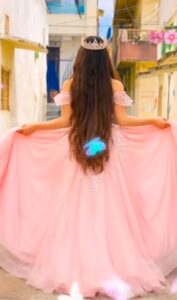
IMPORTANT: Keep the background exactly the same as the original image.
Do not change the hallway, walls, doorway, lighting, or camera position.
The environment must remain identical to the original scene.
The girl is wearing a long elegant royal princess gown with a flowing trail and a delicate crown.
She slowly walks forward toward the doorway in a graceful princess style.
Her movement should be smooth and natural, with slight slow motion as the gown softly flows while walking.
Camera angle: fixed back view, same framing as the original image.
Style: cinematic, realistic lighting, dreamy royal aesthetic, smooth motion.
How to Make Princess AI Photo Video (Step-by-Step)
Nowadays Princess Style AI videos are going viral on Instagram Reels and YouTube Shorts. Many creators are making amazing videos where a normal photo turns into a beautiful princess animation. The good news is that you can also create the same type of video in just a few minutes. You only need a screenshot, an AI image generator, and a video generation app.
In this article, I will explain the complete process step-by-step so anyone can easily create a Princess AI photo and video
1. Shoot a Short Video First
First of all, you need to record a short video using your phone camera While recording the video, make sure the last frame looks clear and good, because we will use that frame later to create the AI princess image. After recording the video, open the VN Video Editor and import your video.
- Take a Screenshot of the Last Frame
- now play the video inside the VN app and go to the last frame of the video.
- When the frame looks perfect, take a screenshot of that frame.
- After taking the screenshot, crop the image properly so that only the main subject or face remains in the photo
3. Create a Princess AI Image
Next, open the ChatGPT app on your phone.
Follow these steps:
- Click on the Plus (+) button
- Select Create Images
- Upload the screenshot you captured
- Paste a Princess style AI prompt
- After entering the prompt, click Generate.
- Within a few seconds, your image will be converted into a beautiful Princess AI photo.
- Once the image is ready, click the Save button to download it to your gallery
4. Convert the Photo into a Video
Now it’s time to turn the AI image into a video animation. For this step, download the Grok App from the Play Store. After installing the app, follow these steps:
- Open the Gok Ap0
- Tap on the Imaging option
- Click See All and upload the Princess AI photo
- Paste the Video Prompt in the prompt box
- Then tap the Generate button.
- After a few seconds, the app will create an AI animated video from your photo
- Download the Generated Video
- Once the video is generated, you will see a Download button
- Click the download option and the video will be saved directly to your phone’s gallery.
Final Video Editing
Now open the VN Video Editor again.
Follow these steps:
- Tap the Plus (+) icon
- Import the AI video you Create
- After adding the video, you can add your favorite music or trending audio.
- You can find trending sounds from Instagram Reels and add them to your video.
- Once everything is ready, click the Export button and save the final video.
Final Words
By following this simple method, you can easily create a stunning Princess AI photo and video within a few minutes. These types of videos are currently trending on social media platforms like Instagram and YouTube Shorts. So if you want to create viral content, this method is definitely worth trying.